

Organizations today manage access to buildings, offices, and secure areas in a very different way than they did just a decade ago. As workplaces become more connected and distributed, traditional access methods like physical badges and keycards are gradually being replaced by digital credentials.
This leads us to one unique innovation in mobile technology: mobile access control. Mobile access control allows organizations to use smartphones, tablets, and wearable devices as secure access credentials. Instead of issuing physical cards, administrators can grant or revoke access remotely through a centralized system. This technology is rapidly evolving, but what exactly is it and how can you understand it better? Read on to find out.
What is a mobile access control system? #
Mobile access control takes smartphones, tablets, and wearable electronic devices and allows them to function as a user’s credentials to enter offices or other business facilities.
As more organizations adopt Bring Your Own Device (BYOD) policies, mobile credentials have become a practical and secure alternative to physical badges or cards. Mobile access control is sometimes referred to as phone access control, since a smartphone acts as the digital credential used to unlock doors and access secured spaces.
Mobile devices can also support biometric authentication such as fingerprint or facial recognition, adding an additional layer of identity verification without requiring specialized biometric hardware.
How does mobile access control work? #
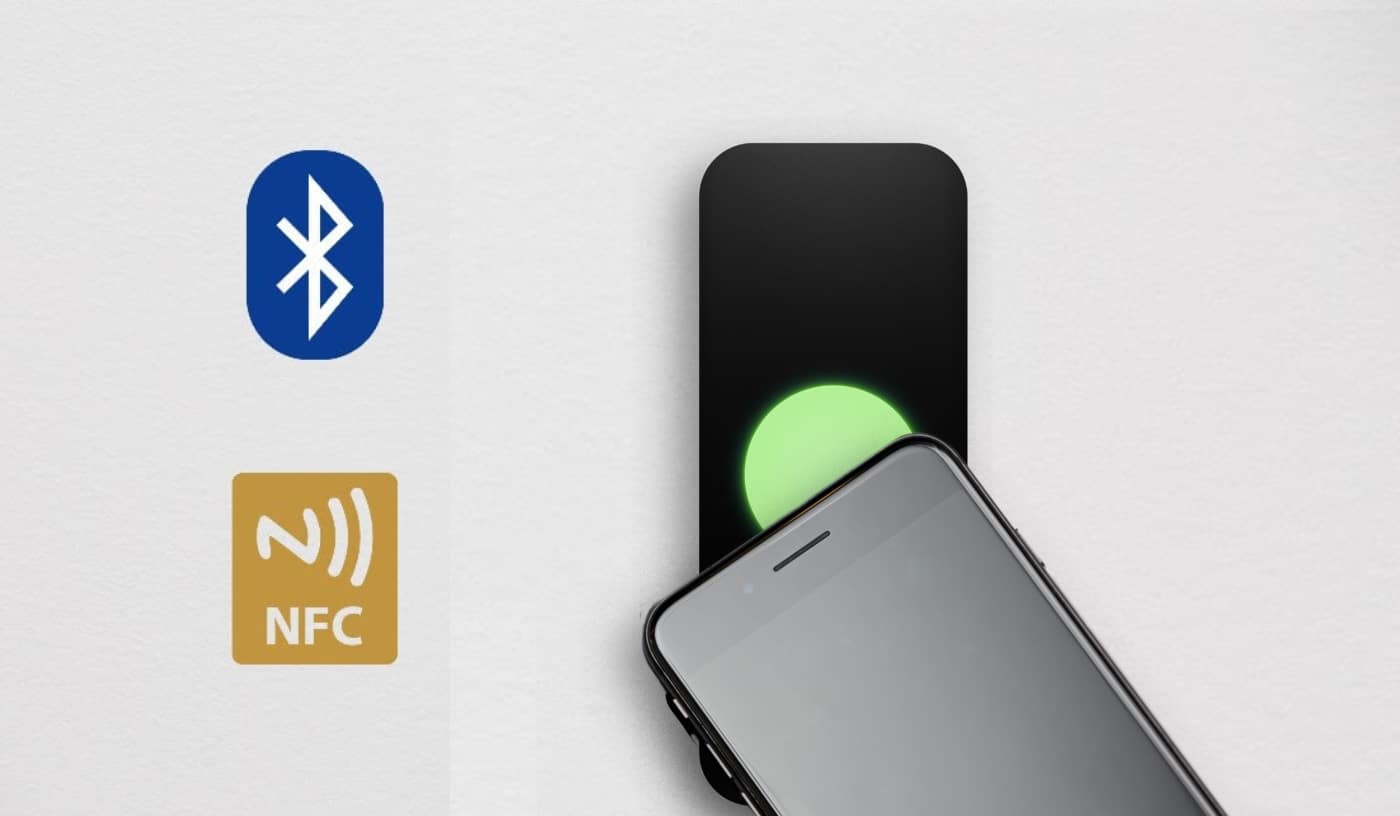
In most implementations, mobile access control relies on wireless communication technologies that allow a smartphone to interact with an access reader installed at a door. Bluetooth and NFC technologies enable this communication, allowing credentials stored on a mobile device to be securely transmitted to the reader when the user approaches the door.
Bluetooth Low Energy (BLE) #
Generally, mobile access control manufacturers rely on Bluetooth to enable workers to communicate with a remote reader through their smartphone. Bluetooth Low Energy, or BLE, allows access readers to communicate with users’ devices without the hassle of manual pairing. Bluetooth technology also provides sufficient bidirectional bandwidth to power a secure connection, allowing workers’ devices to communicate with an office’s remote reader from a few feet away.
Near Field Communication (NFC) #
Apart from Bluetooth, other technologies like Near Field Communication, or NFC, can be used in mobile access control. NFC allows communication between a reader or lock and a mobile device at very close range. This technology is commonly used for mobile payments and can also support secure access credentials for doors and other physical access points.
Why organizations are adopting smartphone access control #
Mobile access control systems allow users to enter secured buildings and rooms with just a few taps on mobile devices such as smartphones, tablets, and wearable technology.
For building managers and security teams, these systems provide a cost-effective way to manage access credentials while maintaining visibility into access activity. Because credentials are digital, administrators can quickly issue or revoke permissions without the operational overhead of distributing physical badges.
The convenience and flexibility of smartphone-based credentials have made mobile access control an increasingly popular alternative to traditional access systems.
Types of mobile access control systems #
A variety of access control systems are available today, ranging from locally managed systems to cloud-based platforms that support mobile credentials. Local systems typically involve on-site servers and infrastructure, while cloud-based systems allow administrators to manage access remotely through centralized dashboards. In many modern deployments, organizations combine both approaches. The following sections introduce the major categories of smartphone door access control systems.
IP systems #
For start-ups or small companies working with only a handful of suppliers and clients, managing contacts is relatively easy. However, larger companies dealing with thousands of users across multiple locations may find local systems difficult to manage. Cloud-based IP systems allow administrators to manage credentials, monitor events, and configure access permissions through a centralized cloud platform.
Control panel systems #
Control panel systems have a number of applications. They are often installed locally, allowing users to manage credentials and generate reports. One advantage of these computerized systems, installed directly at workspaces, is that they can be integrated into the security system, helping to ensure the safety of employees and clients. Many organizations use control panel systems as part of a hybrid deployment, keeping existing infrastructure while layering in cloud-based management through compatible readers.
Mobile access credentials #
For many reputable institutions, controlling access to office spaces can be a big concern. Mobile access credentials can be especially beneficial to companies struggling with this, as they enable operators to keep track of employees’ entry and exit activities.
Mobile access credentials also provide a secure way for license key holders to access particular locations within a building. Some other common advantages of these systems include ease of operation, improved security, and remote office management capabilities. Mobile-enabled employees are granted access to a specific physical location with just a few clicks on their phones. Plus, access is generally managed in the cloud, allowing an administrator to easily grant and revoke mobile credentials.
With more and more companies of all sizes choosing to install mobile access control systems, they have become an indispensable part of security in the corporate world. It’s not surprising that so many organizations are switching to mobile access control instead of printed identity cards and physical documents, as mobile access control offers a more convenient experience for both workers and administrators.

Looking for an access credential that fits every user?
Support mobile, physical, and temporary credentials from one platform.
Regular access control system vs. mobile access control system #
Access control has one main purpose: it grants and revokes access to resources or locations within an organization’s space. Access control can be broadly classified into two categories, physical access and phone access. Traditional systems rely on physical credentials such as keycards or fobs, while mobile access control systems use smartphones or wearable devices as credentials. Both systems can coexist, and many organizations use mobile credentials alongside traditional access methods during a transition period.
The technology behind mobile access control systems #
Mobile access control systems rely on a combination of networking infrastructure, wireless communication protocols, and cloud-based credential management. Common technologies used in these systems include:
- transmission standards such as Bluetooth, NFC, and RFID
- networking infrastructure including PoE switches and access control hardware
- wireless access control platforms and IoT-connected devices
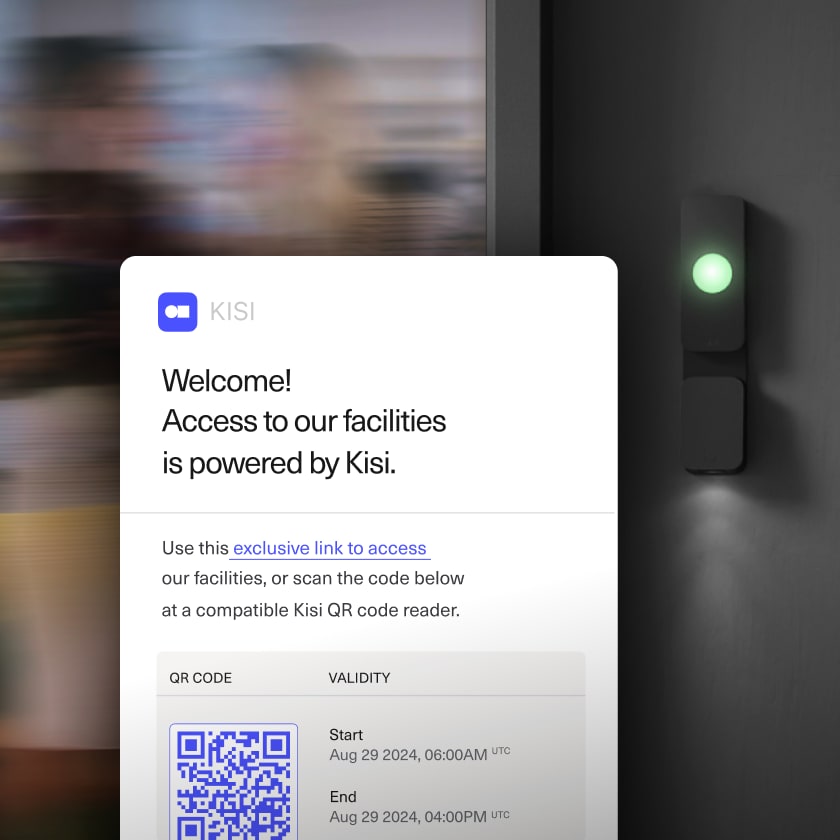
Some systems also support QR-code-based credentials. In these cases, users present a QR code on their mobile device that is scanned by the reader to grant access.
Cloud-based platforms typically generate and manage these credentials, allowing organizations to control access across multiple locations from a single interface.

The benchmarks of the best mobile access systems #
With the growing popularity of mobile access control, the market is booming with cloud-based logical access control systems. With so much to choose from, it can be difficult to select a reliable system that will provide the best mobile access solution for your organization. Here are the features that all good access control systems should have:
- flexible credential options
- detailed access reporting
- visitor management capabilities
- time and attendance tracking features
- responsive customer support
- self-service documentation and administrative tools
Before installing any high-end security system, it is always recommended to carry out thorough research to ensure you’re choosing the best solution for you.
How do users deploy a mobile access system? #
With billions of smartphone users worldwide, mobile credentials offer a convenient alternative to traditional badges. Organizations can deploy mobile access systems across many industries, from small businesses to large enterprise environments.
Common deployment practices include:
- issuing mobile credentials to employees through email or mobile applications
- uploading users through CSV files or integrating with identity systems such as SSO and SCIM
- managing credentials remotely through centralized administrative dashboards
Because credentials are managed digitally, administrators can quickly update access permissions and maintain consistent security policies across multiple locations.
The benefits of mobile access control #
Organizations implementing mobile access control benefit from increased convenience, improved security, and lower operational costs. People are so used to using their smartphones to carry out everyday activities already, that expanding the use of mobile devices to access control is convenient. You can grab your phone and gain access to facilities or documents located on the cloud.
By implementing mobile app access control, employers save costs and time associated with physical printing and distribution of identity badges or buying biometric readers. As authentication moves to the digital realm, many of these processes can be done online.
Additional advantages of mobile access control include:
- You can use a smartphone, a tablet, or a wristband as a single identifying technology for physical access control with multiple access rights (i.e., a parking lot, an office, or an IT system).
- There is no need to carry a proxy card or a fob with you.
- It enables biometric authentication.
- It is encrypted technology, ensuring a higher level of security.
- It can be used alongside traditional access control for an extra level of protection.
All in all, the adoption of advanced mobile access control gives both employers and employees many valuable advantages and signifies a new era in access control technology.
Introducing Kisi mobile access control #
Kisi provides a mobile access control platform used by thousands of organizations to manage secure access to spaces, whether we are talking about offices, fitness centers, warehouses, etc.
How Kisi works #
- Kisi's mobile access credentials are built for security and exceptional user experience: There is no need for users to pair or download credentials. Upon login, everything is ready to use, just like mobile banking.
- When the authorized user approaches the door, they can hold their phone to the wall reader and, without even opening the App, the unlock signal is sent. For the user, it behaves exactly the same way as a keycard.
- Once the unlock request has been verified by the cloud server, the reader flashes green, notifying the user that the door has unlocked. If the door does not unlock, the reader flashes red.
- Once the user walks through the door, the unlock event from the access control reader is recorded along with the door opening event.
Some of the benefits of Kisi's mobile solution #
- Mobile credentials that allow employees to unlock doors using their smartphones
- Cloud-based access management, enabling administrators to grant or revoke credentials remotely
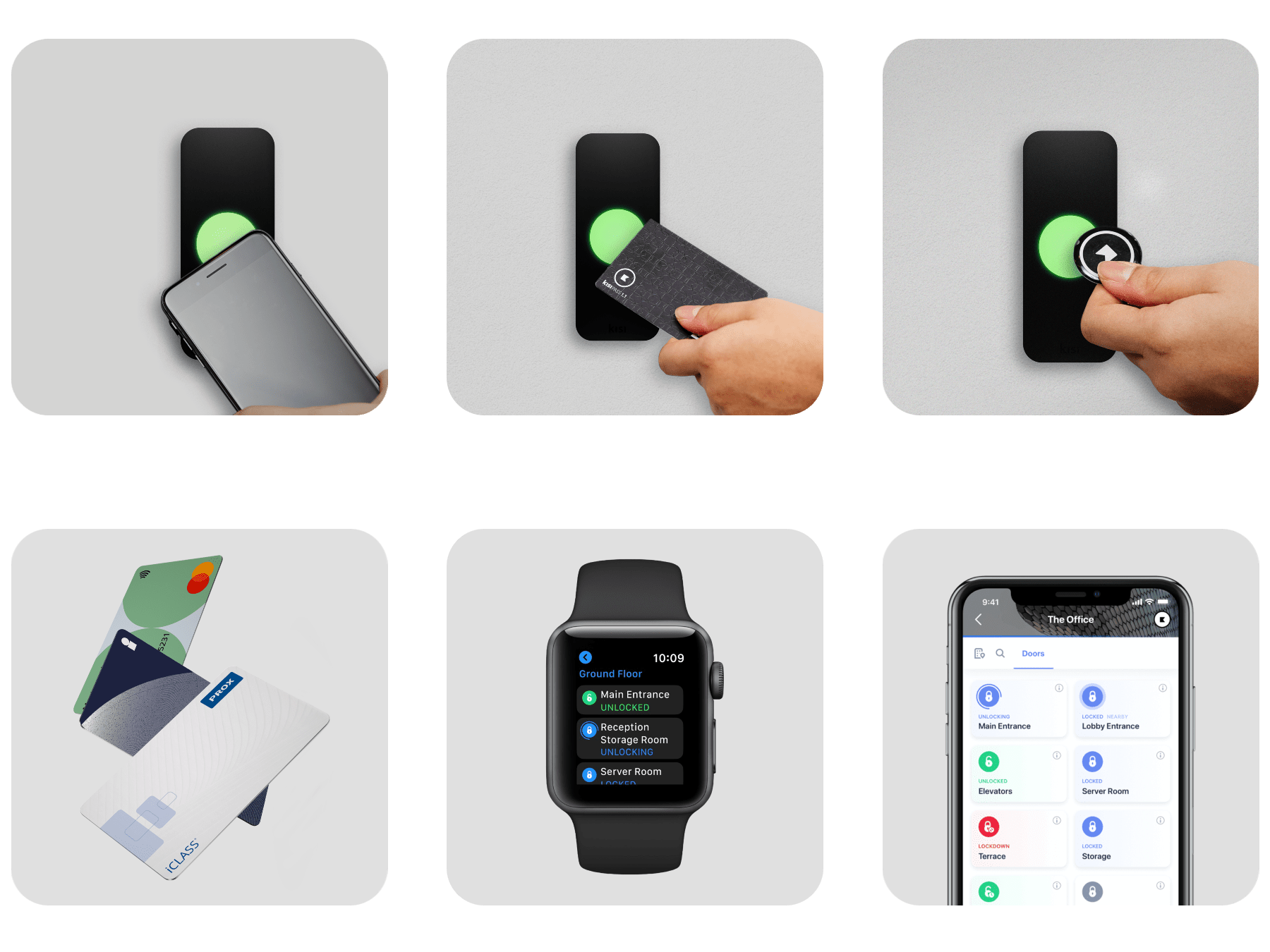
- Multiple credential options, including smartphones, Apple Wallet passes, NFC cards, and fobs
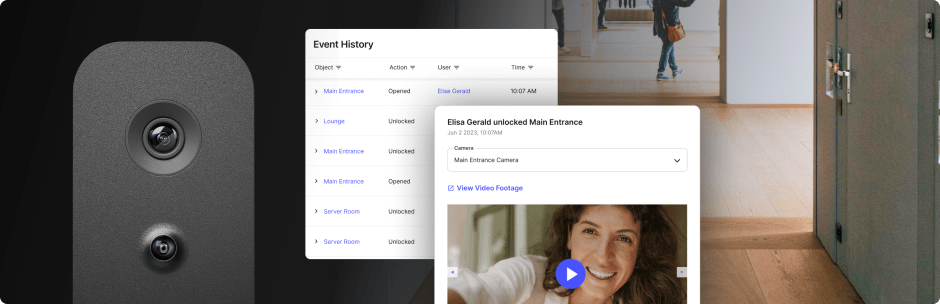
- Centralized dashboards for monitoring access activity across locations
- Detailed audit logs that record entry events and help maintain security visibility
- Integration with workplace systems, including identity providers and administrative tools
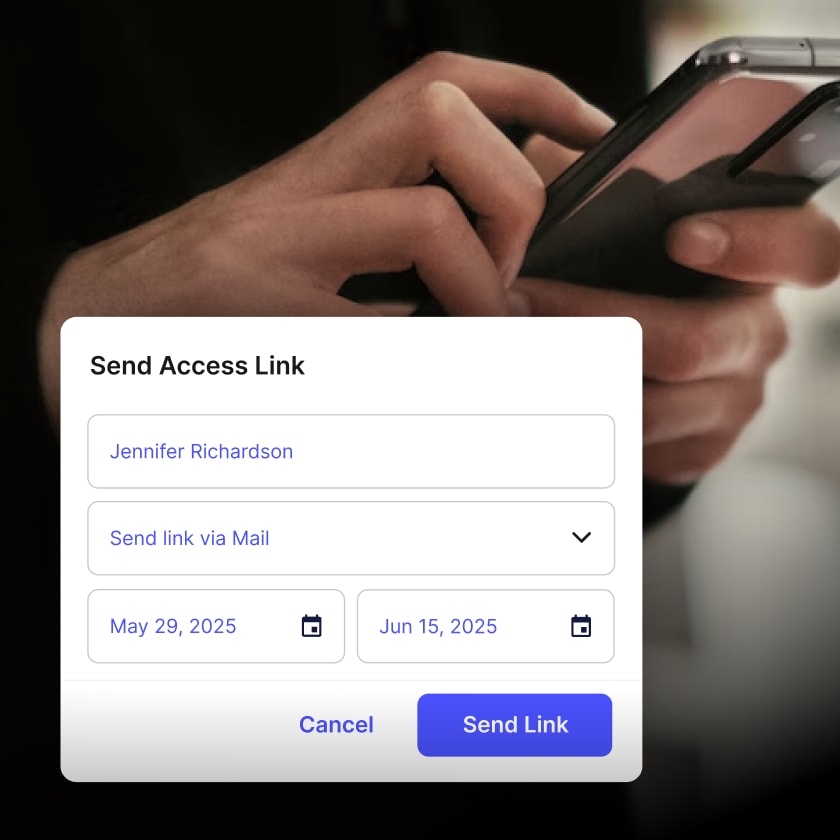
- Visitor and temporary access, where you can send a one-click access link via email or text to visitors or temporary staff without issuing physical credentials
Because credentials are managed digitally, organizations can eliminate the need to print and distribute physical badges while maintaining stronger control over access permissions.
Common questions about Kisi mobile access control #
Does the user’s phone have to be connected to WiFi?
No, their phone just needs any type of internet connectivity if it is configured as a mobile-only unlock. If there is a reader that can read secure and encrypted phone communications, like the Kisi Reader Pro, in some cases, no internet connectivity is required.
Does the user have to pair the phone with the reader?
There is no pairing required; it works instantly. The pairing process you might be used to from your home Bluetooth speaker is not the case with the Kisi access control reader. All you need is to have Bluetooth turned on.
Which phones are compatible with mobile access control?
Kisi supports most modern smartphones running iOS or Android.
Which smartwatches are compatible?
With Kisi, users can also unlock doors with their Apple Watch, without the need to reach for their phone or key card.
Can Kisi work with traditional keycards?
Yes. Kisi readers can support NFC cards and key fobs alongside mobile credentials, allowing organizations to support both mobile and physical credentials when needed.
Can mobile access control help prevent tailgating?
Yes. Kisi's tailgating detection works by connecting with AI-enabled cameras to monitor entries in real time. When someone follows an authorized user through a door without using their own credential, the system flags it as a tailgating event and generates an alert with synced video footage for review.
Can mobile access control handle visitor access?
Yes. With Kisi, administrators can send visitors a secure, time-limited access link via email or text. Guests tap the link on their phone to unlock authorized doors, with no app download or account required.
What if the system is offline?
Kisi supports an "offline functionality" that allows users to unlock the door with their phone even when their workplace internet connection is down. The cellular signal on your phone is still required, but you won't have to worry about any potential downtime of your network.
Simplify mobile access control with Kisi #
Mobile access control is quickly becoming the standard for modern workplaces. Instead of managing physical badges and manual credential distribution, organizations can grant access instantly through secure digital credentials.
Kisi helps teams manage building access through a cloud-based platform that supports mobile credentials, keycards, and integrations with existing workplace systems. Administrators can issue access remotely, monitor entry events in real time, and maintain control across multiple locations from a single dashboard.
Learn more about Kisi’s access control platform, request a demo, or get a customized quote today.

Ready to see what your access control project could look like?
Get a personalized quote based on your facility, requirements, and goals.