


This month’s updates help you stay connected to your entrances, keep bookings organized, and strengthen access oversight. Call your Intercom from the web, receive automatic calendar invites for reservations, accept payments through Stripe, and monitor sensitive group changes with new Role Assignment incident policies.

Call your Intercom from the web dashboard
Your Intercom just became even more powerful. You can now start a call directly from the Kisi web dashboard without waiting for a visitor to press the button.
This gives your team instant visibility into what is happening outside your doors at any moment. Whether you want to check in on the entrance, verify activity after hours, or support your front desk remotely, you can open a live audio and video call with a single click.
It is a simple upgrade that turns your Intercom into a proactive security tool as well as a guest experience device.
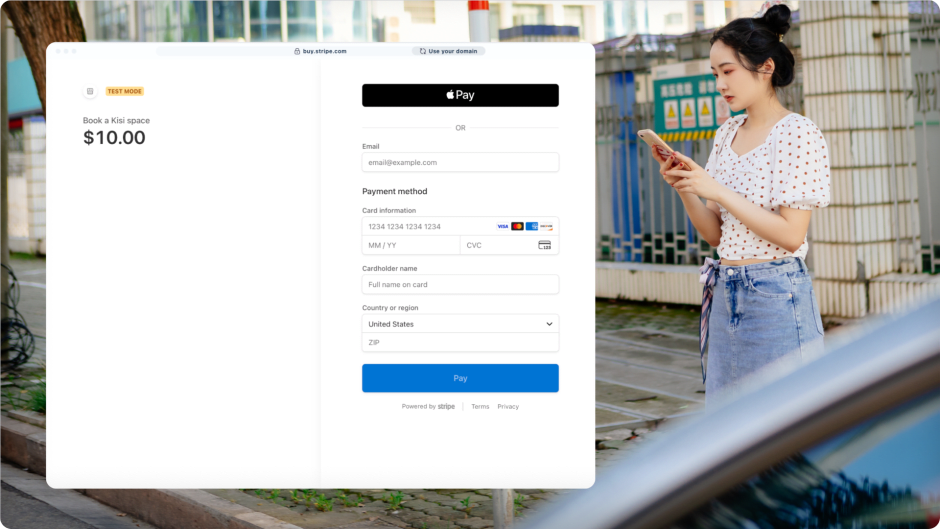
Collect payments for Bookings with Stripe integration
Stripe is a leading global payment platform that helps businesses accept and manage online transactions with ease. Now, you can integrate Stripe directly with Kisi to connect payments to your access control.
Stripe is now available with Kisi Bookings. You can collect payments for any reservations such as meeting rooms, parking spaces, or equipment, and automatically link successful transactions with access. When a booking is paid, the space is ready to use, giving your organization a simple and reliable way to manage both reservations and revenue.
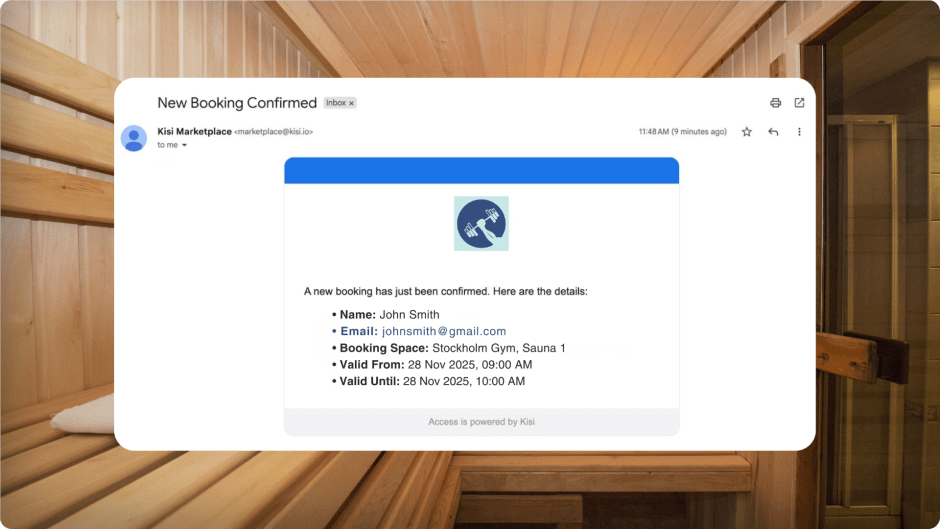
Stay organized with Bookings calendar invites and host notifications
Never miss an important reservation again. With the new calendar invite and host notification options in Bookings, every reservation made for your space can automatically create a Google Calendar event and send you an email with all the details.
You get instant visibility into who booked your space, when they will arrive, and any information you need to prepare. Whether you manage meeting rooms, shared resources, or specialized spaces, this keeps your schedule clear and ensures nothing slips through the cracks.
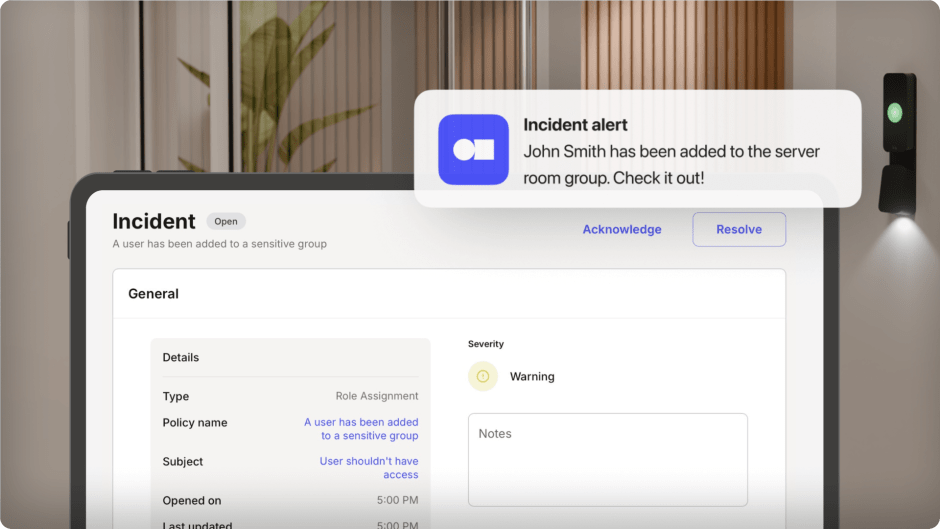
Monitor sensitive group changes with Role Assignment incident policy
Stay in control of your most important access groups. With the new Role Assignment incident policy, you can automatically get notified whenever someone is added to a selected group or team.
This gives you instant visibility into changes that affect high-security areas or privileged access. Instead of manually checking group updates, you can rely on clear, timely incident alerts that help you review, verify, and keep your system aligned with your access rules.
Stay in control of your most important access groups. With the new Role Assignment incident policy, you can automatically get notified whenever someone is added to a selected group or team.
This gives you instant visibility into changes that affect high-security areas or privileged access. Instead of manually checking group updates, you can rely on clear, timely incident alerts that help you review, verify, and keep your system aligned with your access rules.
Stay in control of your most important access groups. With the new Role Assignment incident policy, you can automatically get notified whenever someone is added to a selected group or team.
This gives you instant visibility into changes that affect high-security areas or privileged access. Instead of manually checking group updates, you can rely on clear, timely incident alerts that help you review, verify, and keep your system aligned with your access rules.
Set up Role Assignment policies

Live webinar: Member retention in the digital age
Keep members coming back in a digital-first market. Save your spot for December 10th to hear practical retention strategies from fitness and technology leaders that you can adapt to your business. Join Kisi, and Pushpress in exploring how modern tools and tech can support stronger engagement and see what top operators are doing to build long-lasting member relationships.
Related articles