

When you look at both sides of the Atlantic when it comes to physical security, you run right into a fascinating cultural split. In the UK and Europe, Paxton is practically royalty because of its four decades of manufacturing security hardware.
In the US and the modern cloud arena, Kisi represents the swift, software-first disruptor, the industry player that wants to tie physical doors directly into the web apps businesses use to run their day-to-day operations.
Choosing between them is not a right or wrong decision, but let’s break them down below.

At a glance #
How Kisi and Paxton compare #
Platform philosophy and product range #
Paxton’s architecture proudly reflects its 40-year heritage as a physical hardware engineering firm. Instead of forcing a single software model onto every buyer, they offer distinct platforms depending on how old-school you want to be. First, they have their legacy model Net2, a PC-based local server system that installers have leaned on for decades. Secondly (and more on the modern side), they have Paxton10 which introduces a web-based, hybrid system that blends access control and proprietary video management into a single browser view.
Kisi, completely skips the product fragmentation by offering just one unified platform: the One Security Platform. There are no local PC servers to purchase or legacy software editions to track. That means that it doesn't matter if you’re a single door in a boutique office or you’re managing hundreds of entries across a global corporate portfolio, because you use the exact same cloud dashboard. Instead of changing systems as your company grows, you simply toggle modular software features on or off.
Sales model and purchasing #
The logistics of how you buy these platforms represent two entirely separate business styles. Kisi gives you direct, transparent access to the manufacturer. You can view entry-level pricing online, configure hardware requirements, and deal directly with the vendor. This is definitely a massive perk for agile teams who want to evaluate costs without waiting on an intermediary.
Paxton operates on a strict, traditional commercial model, selling exclusively through a network of certified low-voltage installers and local distributors. There is no direct purchase path. To see what a Paxton setup costs, you must bring in a professional integrator to script a custom architectural blueprint.
While this definitely adds an extra layer of structural friction for self-directed tech buyers, it also remains a comforting option for European operations that prefer having a local low-voltage firm handle everything from installation to long-term physical maintenance.
Deployment and installation #
On the deployment side, we have again multiple models. If you choose Paxton’s time-tested Net2 system, let’s say, then you are going to need a dedicated Windows PC or local server running on-site to act as the brain of your facility. On a better note, their modern Paxton10 setup shifts this framework to the web and removes local client software installations but still relies heavily on an installer-certified deployment process.
Kisi, however, is fully cloud-native from day one. There are no localized servers or on-premises management computers tucked into an IT closet. The administrative interface is instantly accessible from any browser or your phone, and background software updates roll out over-the-air automatically.
As an added benefit, for retrofits, the Kisi Controller Pro 2 allows your team to take over existing Wiegand field wiring, letting you upgrade a legacy building to the cloud without paying to rip out perfectly good infrastructure.
Hardware and credentials #
On the hardware side, it’s safe to claim that Paxton’s physical catalog is extensive, mostly because it has everything from heavy-duty door controllers and exterior entry panels to standalone video intercoms. For day-to-day entry, users can rely on traditional fobs, cards, PIN codes, or their smartphone via the Bluetooth-driven Paxton Key app, and to level up security then Paxton10 allows users to verify their digital key using the smartphone biometrics they already use every day (like Face ID or a fingerprint scan) before the door unlocks. The Paxton Key app also runs on Apple Watch and Wear OS devices, and can unlock doors while the phone stays in a pocket or bag.
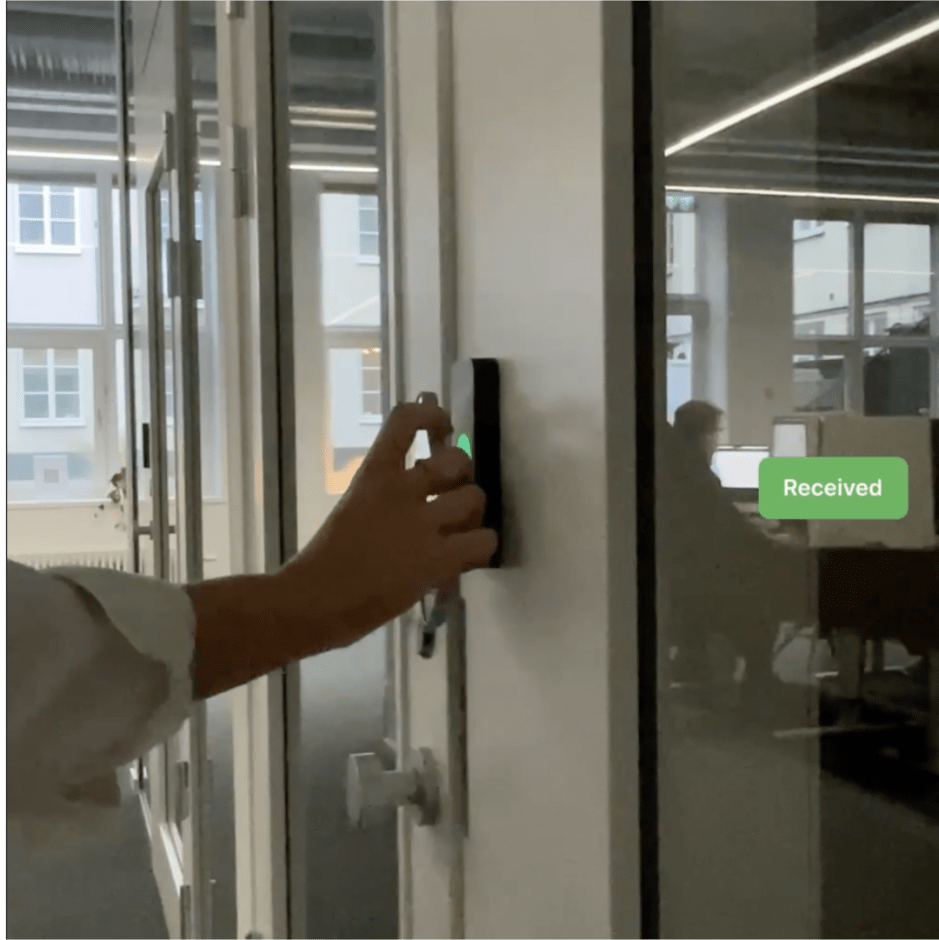
Kisi shifts the balance further toward native mobile credentials. Alongside standard fobs and cards, Kisi supports employee badges in Apple Wallet on both iPhone and Apple Watch. The difference is that there’s no separate app to install, open or keep running in the background. With Express Mode, users simply tap their phone or watch at the reader without waking or unlocking it. Paxton Key depends on its own Bluetooth app, while Kisi’s credentials live in the same wallet people already use for payments and boarding passes.
Video integration #
This is the category where Paxton has a bigger claim, because it’s a unified security platform that natively bakes video management right into the core access software. It can drive up to 1,000 Paxton cameras across multiple properties simultaneously, and also align door unlock logs with corresponding security footage inside a single window.
Kisi doesn’t manufacture security cameras, but it does integrate outward with top-tier commercial video platforms like Vivotek, Meraki, Rhombus, Eagle Eye Networks, and Spot AI. That means that while you won't get a Kisi-branded lens on the wall, you do have a modular fit if you have already deployed high-end commercial cameras and want to instantly tie their clips to your door access logs without swapping out your video gear.
Software integrations #
If your business requires different software platforms to communicate with one another, this is the definitive fork in the road. Kisi functions like an open SaaS platform, and has over 100 plug-and-play integrations fit for different industries that talk natively to enterprise IT identity directories (Okta, Azure AD, Google Workspace, etc), automated SCIM provisioning, and operational business platforms. For example, when an HR manager offboards an employee or user roles change, physical door permissions update automatically in the background.
Paxton approaches integrations through a more conservative, low-voltage lens. Its core ecosystem is built around hardware-centric building systems like fire alarms and intrusion panels, and software integrations come through an approved partner program on the Net2 Web API. A handful of business apps connect this way, such as ClubRight for gyms, Clearooms for desk booking and Nexudus for coworking. Each one is built, maintained and supported by the third-party partner rather than Paxton, and depends on the on-site Net2 server being reachable.
Long story short, Paxton can connect to some business software through partner-built Net2 integrations, but the catalog is small and tied to on-premises infrastructure. Kisi offers over 100 native cloud integrations out of the box, from identity providers to industry-specific platforms.
Pricing #
When it comes to pricing, Kisi publishes starting pricing for its One Security Platform, which begins at $99/month. Hardware is bought separately and the company also has a wide range of add-ons that customers can choose from (and which ultimately will drive the price). We’re talking things like visitor management, video surveillance, intrusion detection or booking capabilities.
Paxton's pricing varies by platform. Net2 Lite software is free, and Net2 Pro is a one-time purchase of approximately £598. Hardware costs are separate and quoted through installers. Also, Paxton10 is license-free for the software but requires hardware purchase and professional installation. The Paxton Entry app, which lets users answer video intercom calls on their smartphone, costs approximately £2.50 per user per month.
Compliance and security #
Data privacy compliance is an area where both brands hold solid footing, but they cater to different regional frameworks. Paxton10 is most definitely engineered to comply with strict European GDPR data privacy rules, and features end-to-end device-level encryption, and honors standard European ISO manufacturing baselines.
Kisi covers the standard European bases but adds a strong American enterprise compliance stack. It holds third-party audited SOC 2 Type II and ISO 27001 data certifications, alongside explicit NDAA supply-chain compliance. For US corporate procurement departments or heavily audited industries where SOC 2 data trails are a legal prerequisite, Kisi offers the documented validation legal teams usually demand.
Which industries is each system suited for? #
Small to mid-size businesses #
Paxton is strong in this segment in the UK and European markets. First off, Net2 is well established among SMBs that want a simple, reliable, installer-supported system and the free Net2 Lite tier makes it accessible for small deployments. Kisi is more suited for the global market with a strong US presence. For UK buyers, Kisi is a viable option particularly where software integrations are a priority, but the installer network and local support infrastructure is less established than Paxton's.
Corporate offices and enterprise #
Both platforms can run a corporate headquarters, but they appeal to two entirely different management styles. Paxton10 handles up to 1,000 doors and weaves in smart building automation and fire alarms. This pretty much makes it a reasonable choice for facility managers who want a centralized physical dashboard to monitor the bricks and mortar.
Kisi is built for modern, cloud-first IT teams. So, instead of focusing on physical alarms, it prioritizes fluid identity provisioning by linking physical locks straight to automated directory flows like Okta via SCIM. In Kisi's world, human resource workflows drive security meaning when an employee is added or removed from your corporate directory, their digital keycard permissions update across global offices instantly.

Education #
Paxton has a strong track record in UK education. Most schools and universities want a straightforward, installer-supported system that can handle large user counts (Net2 supports up to 50,000 users) without complex software requirements. Kisi is also suited to education environments where large rotating user populations and identity management integrations are priorities, but it’s not its core focus.
Coworking space #
Shared workspace environments typically move fast, and in this case Kisi is one engineered to keep up with that fluid rotation by linking natively with standard flexible workspace platforms like Optix, Archie, and OfficeRnD. The second a flexible workspace tenant books a conference room or upgrades their hot desk subscription, Kisi automatically fires over the exact digital keys they need to access those specific zones during their time slot
Paxton isn’t without options here. Net2 integrates with Nexudus, which maps Net2 access groups to passes, desks and offices, and with Clearooms for desk and room booking. But these are partner-built connections that need a local Net2 server exposed to the internet, and the list of supported platforms is short. If your space runs on Optix, Archie, OfficeRnD or anything else outside that list, your team is back to issuing and revoking passes by hand in the Net2 console.
Healthcare #
Both systems are used in healthcare. Paxton’s multi-role access management, detailed event logging, and alarm integration make it a practical choice for UK healthcare facilities. Kisi’s SOC 2 Type II and ISO 27001 certifications and real-time access management serve healthcare environments in the US. Healthcare organizations should assess whether each system supports the physical safeguards, access controls, and audit requirements relevant to their HIPAA obligations. HIPAA compliance depends on the organization’s policies, procedures, and implementation, rather than a required HIPAA product certification.
Fitness #
This is where Kisi pulls furthest ahead. Through KisiFit, Kisi connects gym doors with the club management platforms facility owners use every day. Kisi can automate member access through supported fitness software integrations. The information synchronized and the timing of access updates depend on the integration and its configuration. Paxton does have a foothold in UK gyms: Net2 integrates with ClubRight, which grants or denies entry based on whether a membership is paid. But that’s a single partner-built integration tied to an on-site Net2 server. Gyms running any other management platform would have to maintain members in Net2 by hand or commission a custom integration.

Kisi vs Paxton reviews #
Kisi — positive reviews
"Kisi's intuitive platform empowers us to manage access like a pro, ensuring our security posture remains strong." — Capterra
Kisi — negative reviews
"While Kisi excels in core features, advanced investigation tools could be more robust." — Source: Capterra
Paxton — reviews
Paxton does not have a significant presence on English-language consumer review platforms like G2 or Capterra. If you are evaluating Paxton, request references from certified installers serving organizations of a similar size and sector to yours. Paxton's certified installer network is extensive in the UK and can give you deployment-specific references.
Which one is right for you? #
Choose Kisi if:
- You want to purchase directly without going through an installer or reseller
- Pricing transparency matters and you want to understand costs before starting a sales process
- Access control needs to connect with your existing software stack such as identity providers, fitness platforms, coworking software, HR tools
- You're in the US or a market where Kisi has strong direct support infrastructure
- Apple Wallet credentials, MotionSense hands-free unlock, or fitness and coworking integrations are relevant to your use case
- SOC 2 Type II and NDAA compliance are procurement requirements
Choose Paxton if:
- You're based in the UK or Europe where Paxton's installer network and market presence are strongest
- You want a simple, reliable, installer-supported system without the need for broad software integrations
- Paxton10's native video management and smart building automation are relevant to your deployment
- You're running a smaller deployment where Net2's simplicity and free Lite tier make it cost-effective
- A local installer managing installation and ongoing support is preferable to direct vendor support
Looking for a Paxton alternative? #
If you want an access control system that lets you break away from traditional, installer-only hardware channels and automatically syncs your physical doors with your existing corporate IT directories or member software, get a custom Kisi quote today to see how easily a cloud-native platform can automate your space.