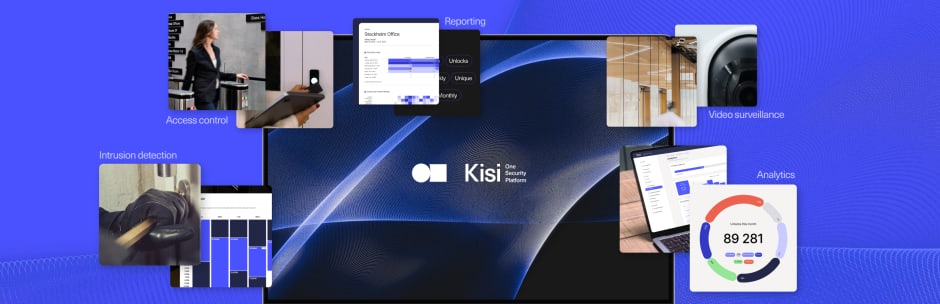
Ubiquiti UniFi Access and Kisi both offer cloud-managed door access control, but they're built for different buyers. UniFi Access is a hardware-first system with no monthly subscription, designed for small offices already running Ubiquiti networking and cameras. Kisi is a commercial-grade cloud platform with a full integration ecosystem, designed for businesses that need access control to connect with their existing software stack. Understanding that difference upfront will tell you which one is right for your situation.

At a glance #
How Kisi and Ubiquiti UniFi Access compare #
Platform philosophy and target buyer #
Before you jump straight into feature comparison, this is the most important thing to understand. UniFi Access is an extension of Ubiquiti's networking ecosystem. If you're already running UniFi switches, WiFi, and cameras, UniFi Access means you’re basically be also managing doors from the same console you already use, so there’s no new platform, no monthly fee, and tight native integration with UniFi Protect video.
Kisi is a dedicated access control platform built for commercial deployments. It's designed to integrate outward, connecting with HR systems, identity providers, fitness software, coworking platforms, and building management tools. Where UniFi Access keeps you within the Ubiquiti ecosystem, Kisi connects to the ecosystem you already have.
Pricing #
The financial commitment for these two platforms represents two completely different business models. Ubiquiti wins purely on raw upfront affordability for small spaces because they charge absolutely zero monthly or annual software subscription fees. You buy their readers and hubs once, host the software locally on your own UniFi console hardware, and your ongoing operational cost drops to zero..
Kisi operates as a fully managed cloud security service starting at a $99/month baseline. So, instead of a flat fee, everything is based on how your industry utilizes space. Most security companies force you into a rigid, one-size-fits-all billing box. Kisi does the opposite because it designed its software plans to match your space. Let’s say if you run a membership-driven fitness facility, your plan scales by your active user milestones so you aren't penalized for securing multiple interior doors
Hardware and credentials #
On the hardware side, UniFi Access has a wide range. There is a lineup of physical readers and controllers that handle entry points through cards, PINs, and mobile access via their app. They also provide a retrofit option that lets IT teams take over existing wiring without needing to completely rip out legacy infrastructure.
Kisi’s hardware lineup centers around its cloud-managed controllers and high-performance readers. The Controller Pro 2 supports existing Wiegand wiring and credentials, a similar migration path to UniFi's Retrofit Hub. Credentials here include the Kisi mobile app, Apple Wallet, Apple Watch, MotionSense hands-free unlock, key cards, and fobs. Apple Wallet support is a meaningful differentiator since Ubiquiti does not currently support Apple Wallet credentials.
Software integrations and directory management #
Integration is where the operational divide is more impactful, and that’s mostly because Kisi acts as a natural extension of your company’s IT identity stack. It features over 100 plug-and-play integrations, it syncs natively with tools like Okta, Microsoft Azure AD, and Google Workspace, alongside automated SCIM provisioning.
Practically, this means that when an HR manager offboards an employee in your corporate directory, for instance, their digital door keys are instantly and automatically revoked across every building worldwide without an IT admin ever lifting a finger.
Ubiquiti, on the other hand, forces you to handle user management entirely by hand inside their own console. They lack out-of-the-box, plug-and-play directory integrations with external identity providers, meaning user provisioning is a purely manual task. If you run a five-person office, manually adding an NFC card or deleting a departing employee takes just a few seconds, and that’s fine.
The tables are flipped once your team grows to 50 or 100 people, or when you experience regular staff and member turnover. That’s when you start having the IT team log into a separate portal to type in names and manage keys line-by-line which quickly turns into a massive manual chore and a potential security gap.
Multi-site management #
If you run a multi-site facility, Ubiquiti's cloud portal lets you view and monitor multiple locations from a single screen, while the underlying user databases remain largely siloed. This means you cannot automatically sync user access across different buildings and you will always require an admin to manually provision a traveling employee's digital key at each individual site.
Kisi, by contrast, runs on a single, completely unified global database managed from one dashboard. A single click can grant a regional manager access to every door across ten different cities instantly, making it a much smoother choice for rapidly expanding operations.
Video integration #
UniFi Access integrates natively with UniFi Protect, Ubiquiti's video surveillance platform. Door unlock events link directly to camera clips, and everything is managed from the same UniFi OS console. If you're already running UniFi Protect cameras, this is a genuine operational advantage.
Kisi integrates with third-party camera providers like Vivotke, Rhombus and Cisco Meraki for video so that it can connect access events to camera systems. There's no native video management layer, but for organizations already running non-Ubiquiti cameras, Kisi's integrations cover the most common commercial camera platforms.
Compliance and security certifications #
Kisi holds SOC 2 Type II, ISO 27001, GDPR, CCPA, and NDAA certifications, runs on Google Cloud Platform with Cloud Armor protection, and conducts annual third-party penetration tests.
Ubiquiti does not publish equivalent compliance certifications for UniFi Access specifically. For organizations with procurement requirements around SOC 2, ISO 27001, or NDAA, this is something worth verifying directly with Ubiquiti before committing.
Support #
On the support side, Kisi has a more hands-on approach with its 24/7 support direct from the vendor, plus the 1-on-1 onboarding resources and hands-on support on higher tiers. On the other side of the spectrum, Ubiquiti's support model relies mostly on community forums and documentation.
Which industries and deployment types are each suited for? #
Small single-site offices #
If we’re talking about small office spaces, UniFi Access is at its strongest here. A 1–10 door office already running UniFi switches, WiFi, and cameras gets seamless integration, zero monthly fees, and a single management console for networking, cameras, and doors. The Access Ultra at $129 per door and zero ongoing cost makes the math work very quickly.
Kisi also serves small offices, with published pricing and self-installation support which does make it accessible, but the $99/month software cost is a real consideration for a small team that would otherwise pay nothing with UniFi.
Growing businesses and multi-site operators #
If we are looking at multi-space facilities however, Kisi is the stronger choice here. As soon as an organization has more than one location, UniFi Access's lack of centralized multi-site management becomes a practical inconvenience. Kisi manages all sites from one dashboard with consistent policies and real-time reporting. In an organization with 3, 5, or 50 sites, this difference can compound significantly.
Fitness and wellness #
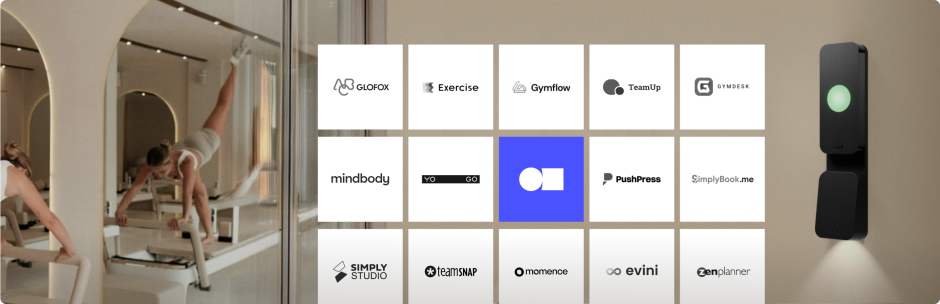
On the fitness spectrum, Kisi has a clear advantage with KisiFit. The system plugs directly into the core club management software gym owners use daily (like Mindbody, ABC Glofox, and ABC Ignite) to automate front door permissions based entirely on active membership status. In this scenario, if a member’s payment bounces or their package expires, Kisi instantly revokes their digital access without an administrative assistant ever having to waste time to click a button. UniFi Access, however, has no fitness software integrations and would need manual user management for every membership change.

Similarly here, for coworking spaces, Kisi has the advantage, because of its multiple integrations with platforms like Optix, Archie, and OfficeRnD which automate member access tied to membership status. UniFi Access does not support coworking-specific integrations.
Corporate offices and enterprise #
Kisi is the stronger choice for any organization with IT governance requirements such as Okta or Azure AD integration, SCIM provisioning, SOC 2 Type II compliance, and multi-site management are all standard on Kisi and either absent or limited on UniFi Access (as they don’t publish their compliance portfolio publicly).
IT-managed environments already on UniFi #
This is UniFi Access's strongest use case. An IT team managing UniFi infrastructure across a single site (or a small number of sites each managed independently) gets a zero-subscription, fully integrated access control layer without adding a new vendor relationship. If the IT team is comfortable managing access manually and the organization doesn't need directory sync, the UniFi approach is efficient and cost-effective.
What users say #
Kisi — positive reviews
Kisi's intuitive platform empowers us to manage access like a pro, ensuring our security posture remains strong." — Source: Capterra
Kisi — negative reviews
"While Kisi excels in core features, advanced investigation tools could be more robust." — Source: Capterra
Ubiquiti UniFi Access — positive reviews
"I like how everything is centrally managed as well as the organization of the menu buttons. Ease of onboarding devices was essential to us continuing to purchase more Ubiquiti devices." — Source: G2
Ubiquiti UniFi Access — negative reviews
"I have had some delays in dealing with technical support with Ubiquiti, but that is the trade off for the price savings and ease-of-use." — G2
Which one is right for you? #
Choose Kisi if:
- You need access control to connect with your existing software stack like HR systems, identity providers, fitness or coworking platforms
- You manage more than one location and need a single dashboard across all sites
- SOC 2 Type II, ISO 27001, or NDAA compliance certifications are required by your procurement or legal team
- Your organization has more than 10–15 doors or significant user turnover that makes manual provisioning impractical
- 24/7 vendor-direct support with defined SLAs is a requirement
- You use Apple Wallet credentials
Choose Ubiquiti UniFi Access if:
- You're a small single-site office (1–10 doors) already running UniFi networking and cameras
- Eliminating a monthly subscription fee is a priority and you're comfortable managing access manually
- Your IT team already administers UniFi and wants to keep everything in one console
- Native integration with UniFi Protect cameras is a priority
- Your access control needs are straightforward, meaning no multi-site, no directory sync, no industry-specific integrations
Looking for a Ubiquity alternative? #
If you want a cloud access control platform that moves beyond a closed hardware ecosystem and automatically syncs your doors with your existing corporate IT directories or fitness membership software, get a custom Kisi quote today.