

Access control used to mean a server closet, a stack of proximity cards, and a vendor contract that locked you into specific hardware. Cloud-based access control changes that by moving the management layer online, so doors, users, and permissions can be controlled from a browser or phone instead of a box in a back room. This guide covers what cloud-based access control is, how it compares to traditional systems, what it tends to cost, and what to look for if you're evaluating providers.
What is cloud-based access control? #
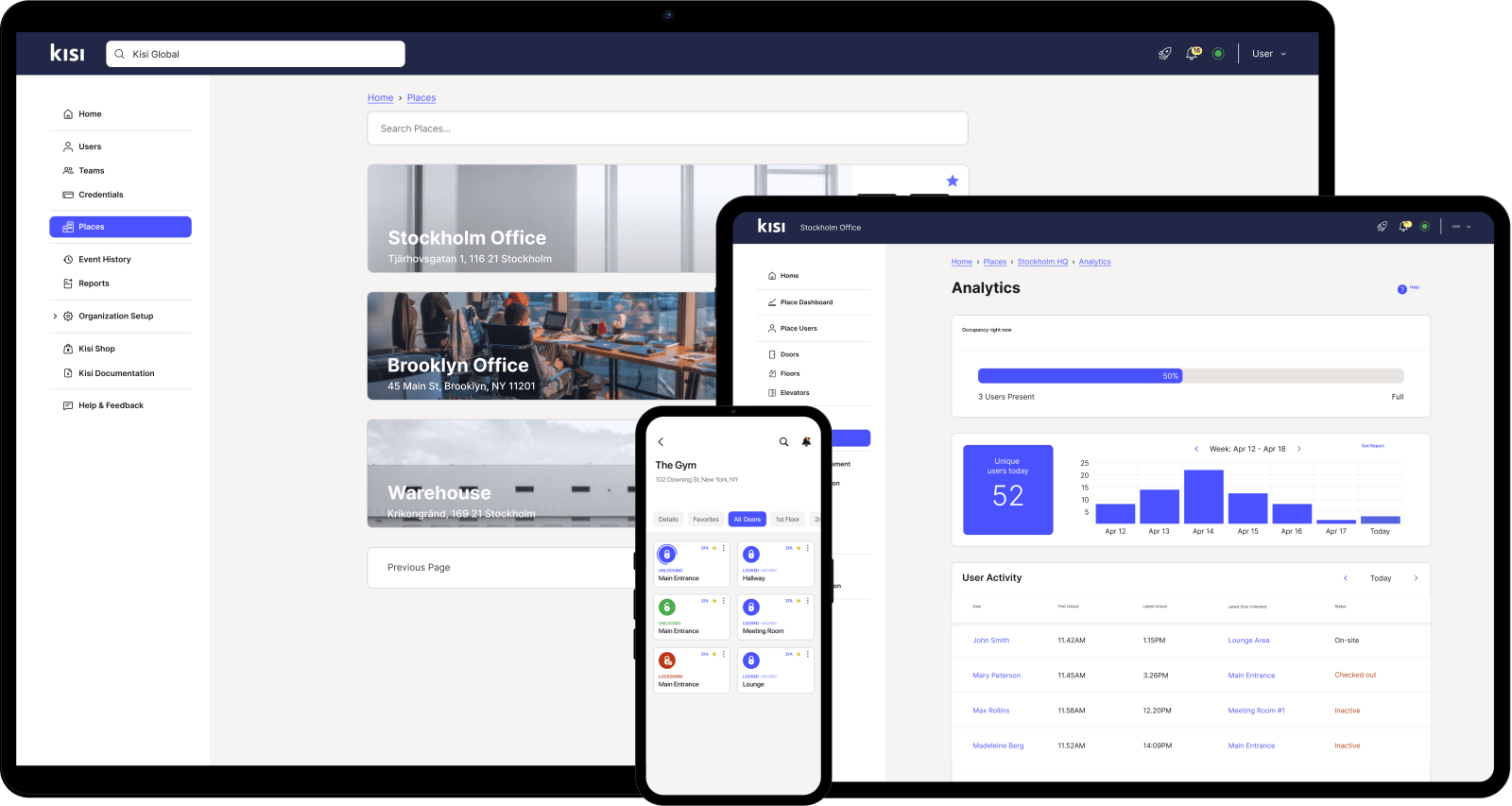
A cloud-based access control system provides centralized management, visibility, and control without the cost and complexity of traditional physical access systems. Besides reliable access hardware, systems usually provide intuitive software equipped with centralized management, real-time updates, diagnostics, and more. They can be deployed rapidly without training or proprietary command-line interfaces. Plus, they provide integrations with the software your company uses for its operations, visitor management, and door scheduling.
Features of cloud-based access control #
Cloud-based access control has a number of features that make it convenient to manage. The following processes can be handled remotely, from any device with an internet connection:
- Verifying that doors, controllers, and readers are online and functioning
- Adding new users to access control groups
- Revoking access to specific doors or entire facilities
- Triggering a lockdown across one or multiple locations during an emergency
- Issuing offline unlock credentials for areas with limited connectivity
- Changing user permissions instantly, without visiting the door
- Reprogramming access points without rewiring
- Reviewing unlock statistics and access trends by door, group, or location
- Exporting access logs for audits and compliance reviews
- Auditing inactive admins, stale door access, and partially offboarded users
- Integrations with the software you already use
Wireless capabilities provide an increased level of flexibility and scalability, and the security of multiple offices can be put under one umbrella. Information received from each and every office is saved in one single place in the cloud.
When making use of cloud access control, you can monitor live-stream video from any device at any time, so security issues get addressed as they happen rather than after the fact. Most providers offer dedicated support teams to help monitor and respond to security-related issues, which reduces but doesn't eliminate the need for in-house oversight.
Cloud-based access control vs. traditional access control #
Legacy, on-premise access control comes with a few structural drawbacks compared to a cloud-based system:
By moving to the cloud, you turn capital expenses into operational ones. There's no large upfront cost for servers and wiring, and the number of doors and users you can add isn't capped by hardware. Cloud-based access control can also integrate directly with building management systems, video surveillance, and fire alarms, without the physical interface traditional systems require.

Planning an access control upgrade?
Learn what to look for in a system and how to set your deployment up for success.
Cloud-based access control ROI #
The short version when thinking about how much return you would get with a cloud-based access control system is:
With the cloud:
- No local server to buy or maintain, so your data lives on a secure remote server
- Free, over-the-air security and feature updates
- Free tech support from a dedicated team
Without the cloud:
- Hidden costs like hourly maintenance, software update fees, and training
- Remote management is harder and more expensive to set up
- Older systems are often too complex to delegate to other team members
For a full breakdown, you can read this ROI sheet.
How to find a reliable cloud-based access control provider #
First, find out as much as you can about a provider's reputation. Start by reading reviews of the best access control systems and getting familiar with what's actually included in the service.
Some important points to consider when comparing access control systems:
- How easy is it to migrate to the solution?
- Does the provider offer tailored migration paths?
- Do they provide 24/7/365 support?
- Is the system compatible with your locks?
- Are there biometric or mobile access credentials available?
- Is the software easy to use and onboard?
- Can the system integrate with fire alarms and CCTV?
- What does the monthly fee depend on (number of users, entry points, etc.)?
- What's the provider's track record on data and system security?
- Does the vendor support compliance frameworks like SOC 2 Type II or ISO 27001?
A cloud-based access control system turns complex security processes into simpler, more flexible, and scalable ones. No local servers, no proprietary equipment to maintain, and remote control with reports you can actually customize.
Cloud-based access control benefits #
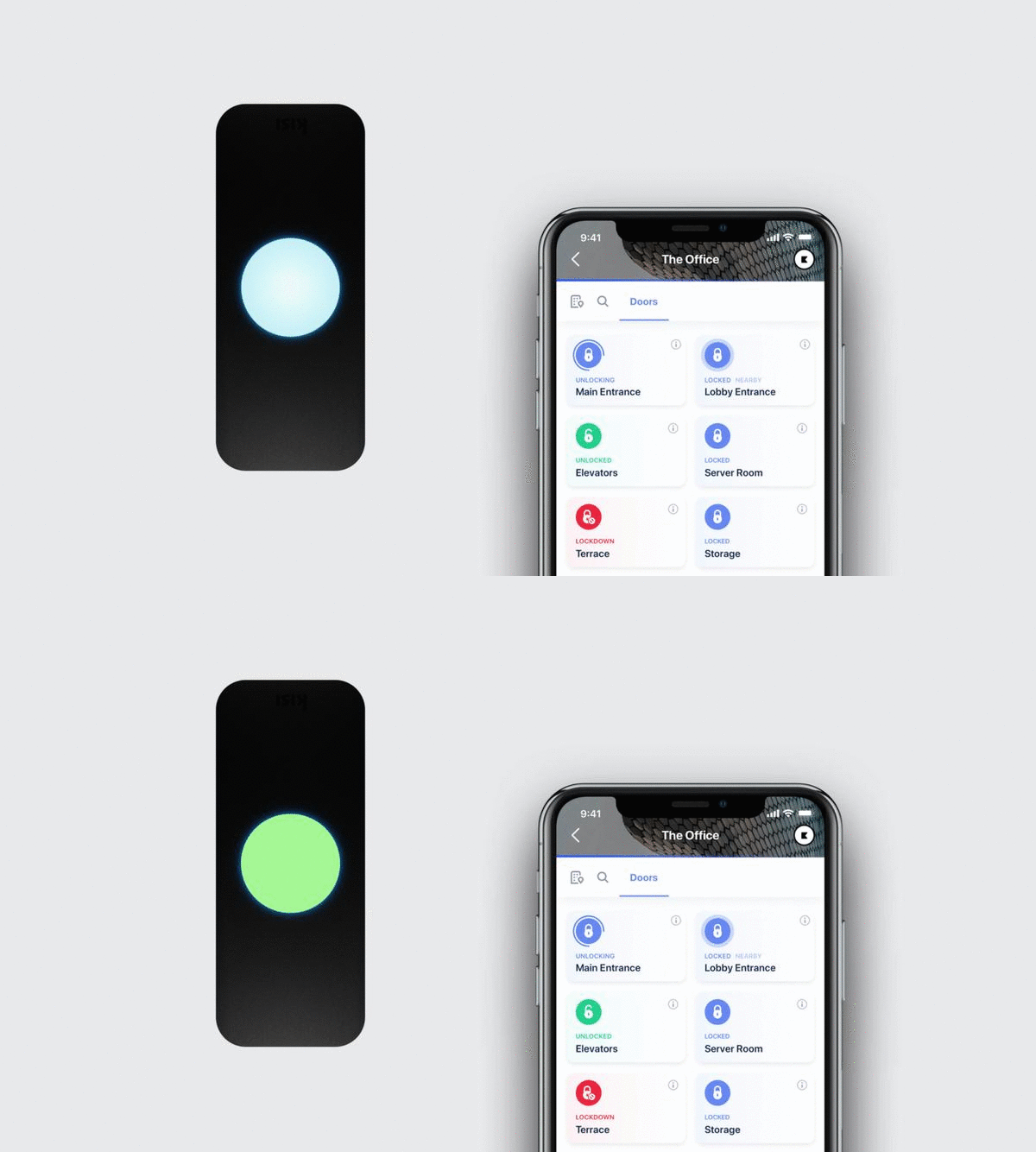
Cloud systems now let you manage and control doors over the internet instead of running access control on a physical computer in your building. This gives you:
Flexibility #
A company with a stable headcount and one office doesn't need much from its access control system beyond "lock the door." A company hiring ten freelancers for a three-month project, opening a second location, or rotating contractors through a warehouse does. Cloud-based access control lets you grant access for exactly as long as someone needs it, across as many locations as you have, without provisioning new hardware for each one.
Increased collaboration #
Traditionally, only whoever held the master key or sat at the front desk could grant access, which meant bottlenecks whenever that person was out. With role-based admin permissions, an office manager in New York and a facilities lead in Austin can each manage their own location's doors independently, without either of them needing full control over the other's building.
Remote capabilities #
If someone reports an issue at a location you're not physically at, you don't need to find whoever's on-site and walk them through it over the phone. You can open the dashboard from wherever you are, see who's badged in recently, and lock down a door or revoke access directly.
Synchronized data #
Before cloud systems, access cards had to be issued and eventually collected back, and the more contractors and freelancers a company worked with, the easier it became to lose track of who still had one. A cloud system keeps every permission in one place, lets you set an expiration date on a credential the day you issue it, or integrate with your SSO or SCIM provider so access gets revoked automatically the moment someone's removed from your HR system.
Security #
When someone leaves the company or loses a phone with mobile credentials on it, the gap between "this happened" and "their access is gone" used to depend on someone physically disabling a card. With cloud access control, that gap is the time it takes to open the dashboard and click revoke. Syncing access rights with your HR database closes it automatically.
Competitiveness #
A regional chain running five locations on five disconnected legacy systems can't see what's happening across all of them at once, and can't roll out a policy change without touching each site separately. The same chain on a cloud platform can push an update, review activity, or respond to an incident across every location from a single login.

FAQs #
Is cloud-based access control secure? #
Cloud-based systems are generally considered more secure than traditional ones, not less, because updates and patches roll out automatically rather than depending on someone remembering to install them manually. Data is also typically encrypted both in transit and at rest, and reputable providers maintain compliance certifications like SOC 2 Type II.
Does cloud-based access control work if the internet goes down? #
Most cloud access control systems, including Kisi, support offline functionality. Doors and credentials that have already synced continue to work locally, and the system syncs back up automatically once connectivity returns.
What's the difference between cloud-based and on-premise access control? #
On-premise systems store data on a local server inside your building and usually require an on-site specialist for updates and troubleshooting. Cloud-based systems host data remotely and can be managed, updated, and monitored from any device with an internet connection.
Can cloud-based access control integrate with my existing hardware? #
Many providers, including Kisi, support hybrid setups that work with existing wiring, readers, and credentials, so you don't always need to replace everything to move to the cloud.
How much does cloud-based access control cost? #
Pricing usually depends on the number of users, doors, and locations, and is billed as a monthly or annual subscription rather than a large upfront purchase.

Simplify access control across every location
Centralize security management without increasing operational complexity.
Ready to move your access control to the cloud? #
Kisi gives you centralized management, real-time monitoring, and remote control across every door and location, without the hardware overhead of a traditional system. See how Kisi works or get a demo to see what it looks like for your business.