

This month’s updates give your team more context at the door and more flexibility when managing access, visitors, and bookings. Glofox member photos now appear in Kisi, Live Monitoring brings live video and snapshots together with unlock activity, and you can control which place admins can view a camera’s live stream. You can also import barcode and QR code credentials in bulk, reduce unnecessary “Access Granted” emails for ABC Ignite members, and add custom questions to Visitor Management registration links and Bookings forms to collect the details your team needs.
Read on to explore what’s new, join our Kisi Essentials webinar on November 4, and find out how to connect with us at Beyond Activ.
Upload your Glofox members’ photos in Kisi

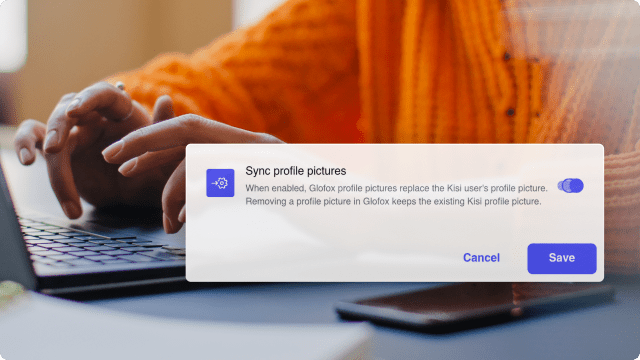
Turn on profile picture sync in the Glofox integration, and each member’s Glofox photo will appear on their Kisi user profile. Instead of seeing just a name, your team can see who is at the door and match members to their photos.
Photos also appear alongside access activity in two places:
- Live Monitoring: Each unlock shows the member’s photo alongside the camera’s live stream and video snapshot. This helps your team check whether the person on camera matches the member who unlocked.
- Live stream sharing with place admins: Give place admins access to a camera’s live stream, so the team at each location can match members to their photos as they arrive.

Import barcode and QR code credentials in bulk
Adding members who use barcode or QR code entry is now easier. The Bulk Import Cards page includes templates for third-party barcodes and QR codes, so you don’t have to add credentials one by one.
Simply add each member’s email and code to the CSV template, upload the file, and Kisi will assign the credentials.

Ask your own questions in Visitor Management and Bookings
Customize Visitor Management registration links and Bookings forms with questions that help you collect the right information. In Visitor Management, add text or dropdown questions, show them only for relevant visit reasons, and make them required when needed. In Bookings, add custom questions to a location’s booking form.
Responses appear in the visitors and bookings tables and are included in CSV exports, making them easy for your team to review. You can also make the email field optional on visitor registration forms when visitors don’t need access credentials.

Suppress Kisi access-granted emails when using ABC Ignite barcodes
When ABC Ignite barcodes are synced to Kisi, members no longer receive redundant “Access Granted” emails from Kisi. They can continue using their ABC Ignite app to enter, without an extra email for each successful unlock.
It’s a simpler experience for members and fewer emails in their inboxes.

Join us for Kisi Essentials webinar on November 4
Join us on November 4 to take a closer look at the Kisi setup. We’ll cover the hardware involved, adding users and assigning permissions, testing unlocks, reducing credential sharing, and troubleshooting common issues. You’ll also learn what to check when something isn’t working as expected and where to find help.
Whether you’re already using Kisi or exploring it for your space, you’ll leave with a clearer understanding of the basics and a few practical things to check in your own setup.

Meet Kisi at Beyond Activ
Heading to Beyond Activ? Come say hi to the Kisi team! We’d love to hear about your fitness business, learn about the challenges you’re working through, and talk about how to simplify member entry and day-to-day operations.
Whether you’re exploring ways to offer more flexible access or make things easier for your team, let’s connect and share ideas.
Related articles