


Gym access control integrations connect the system on your doors to the gym management software you already use for memberships, billing and bookings, so a member's status in that software decides whether their credential opens the door. When the two systems talk to each other, a new sign-up can walk in within minutes, a failed payment shuts access off without anyone at the desk noticing it first, and every unlock can travel back to your software as a check-in.
Most access control providers now connect to the major gym platforms, and Kisi, for example, integrates with Mindbody, ABC Glofox and more than 30 other fitness and wellness tools. How well an integration works for your gym depends on what it syncs, how quickly it reacts to changes, and who supports it when something breaks.

What do gym access control integrations do? #
An integration moves data in two directions. Permissions flow from your gym management software to the door, because the software holds the record of who has paid and what they paid for. Check-ins flow back the other way, so the attendance data in your software reflects who actually came through the door rather than who remembered to tap a tablet at reception.
The permission side works through mapping. In the access control dashboard, or sometimes inside the gym software itself, you link each membership type to an access group, and each group carries its own doors and schedules. A member who buys an off-peak plan lands in the off-peak group, so their credential only works during the hours that plan covers.
Check-ins are the half of the integration most operators underestimate. Many integrations post each unlock back to the gym software as a check-in at the mapped location, which means your attendance reports, retention flags and class counts run on real entry data. Some systems also let a standalone reader record check-ins without controlling a door, which suits a studio entrance that stays open during classes.
How does access control integrate with gym billing systems? #
Your billing system decides who is a member in good standing, and the integration passes that status to the door, so paying members keep working credentials and members whose payments lapse lose them without manual work. You stop maintaining a separate list of who should have access, which is the list that falls out of date first.
The detail that matters is how precisely the software reports a payment problem. Most platforms mark a membership as locked, suspended or overdue after a failed recurring payment, and a well-built integration treats that status as invalid and revokes access, then restores it as soon as the payment goes through. A member who fixes their card at 6 am can train at 6:05 without calling anyone.
Some integrations let you set a grace period instead, keeping access for a set number of days after a payment fails. Kisi's Glofox integration, for example, lets you define how many days a locked membership keeps its access before it's revoked. Operators often choose this because a declined card on the first of the month is usually an expired card rather than a member trying to train for free.
Sync speed is worth asking about before you sign, because it shapes what you tell members. Most integrations update access within seconds or minutes, but some slow down when the gym software is under heavy load, and month-end billing runs are the typical cause, so a member who signs up in the evening rush on the 31st may wait a few minutes before their credential works.
Bookings follow their own logic, because a member on a class pack or pay-as-you-go plan has no ongoing membership to sync. Integrations that support bookings grant access for a window around the booked class, opening shortly before it starts and closing when it ends, and the better ones grant access instantly when someone books at the last minute. Some go further and limit access to the specific room or facility the member booked.
How integrations handle membership management #
Billing status is one input among several. Your gym software also tracks membership types, day passes and account details, and each of these affects what happens at the door. The changes below are the ones most integrations handle, though the exact behavior varies by platform.

Two gaps catch operators out more than any other. The first is new membership plans: most integrations only sync the plans you've mapped, so a plan you create later grants no access until someone adds it to the configuration. The second is day passes and other pricing options, which some platforms don't treat as memberships at all, so you may need to link them to a membership before the integration recognizes them.
Manual access can also behave differently than you expect. Integrations that manage an access group usually overwrite manual changes on the next sync, so someone you add by hand without a matching membership can lose access overnight. If you need to let someone in temporarily, give them access with a fixed end date outside the synced groups. For what happens when members cancel, see our guide to cancelled membership access [link once published].
Access control vs gym membership software #
Gym membership software and access control handle different halves of the same problem. Your management software holds the business record of each member, while the access control system holds the keys, and neither can do the other's job without an integration between them.
A front desk can bridge the two by checking each member against the software, and that works while someone is standing there. Once you run unstaffed hours, or once your member base grows past what one person can check at peak, the bridge has to be an integration, which is why most gyms that extend their opening hours connect the two systems first.

Native, partner-built and middleware integrations #
Integrations differ in who built them, and that decides who maintains the connection and who you call when it stops syncing. Some are built by the access control provider, some by the gym software company, and some run through middleware such as Zapier or a custom build on both systems' APIs. A native integration from either vendor usually comes with documented behavior and a clear support owner, while middleware gives you flexibility but leaves you maintaining the workflow yourself.
Setup requirements vary too, so whoever handles the technical side should check them before the install date. Some platforms need owner-level credentials or an API key created from a specific account, and some require the gym software company to approve or allowlist the connection first, which can add days to your timeline if you don't start early.
If you run several sites, ask how locations map to access groups, since some integrations allow one connection per account with a separate configuration for each location. We cover the wider multi-site setup in our guide to multi-location gym access.
What to check before you connect your systems #
Before you sign with either vendor, confirm the integration is native rather than built through middleware or a custom API project, because native integrations come with documented behavior and a support owner. Ask how quickly membership changes reach the door, and what happens at the busiest billing moments of the month. Check whether unlocks write back to your software as check-ins, since attendance data feeds retention reporting.
Your members' experience depends on one more question, which is where they'll unlock from. Some platforms let members open doors from the gym's own branded app, while others rely on the access provider's own app or a wallet credential. And if you're weighing the hardware side as well, our guide on how to choose gym access control covers what happens to your doors during an internet outage.

Common sync problems and how to fix them #
Most access problems trace back to account data in the gym software rather than to the door. A member who can't get in often has a plan that was never mapped to an access group, or a membership status the integration doesn't recognize as active. Duplicate email addresses cause the next most frequent issue, because many integrations match members by email, so two accounts sharing one address can trigger repeated access emails or access that disappears and comes back.
Family memberships are a common source of those duplicates, since some gym platforms create child accounts with the parent's email. Integrations handle this in different ways, so check how yours does before you sell family plans with door access, and give children their own email where the platform allows it.
When a sync stops altogether, an expired login or a revoked API key is the usual cause, and reconnecting the integration fixes it. Many access control dashboards also show the data received in the last sync for each member, which is the quickest way to tell whether the problem sits in the gym software or in the access system.
Day-to-day fixes don't need to sit with whoever holds full admin rights. If your access system supports custom roles, the person who manages memberships can also manage the integration without broader permissions.
Frequently asked questions #
Which gym management software integrates with access control? #
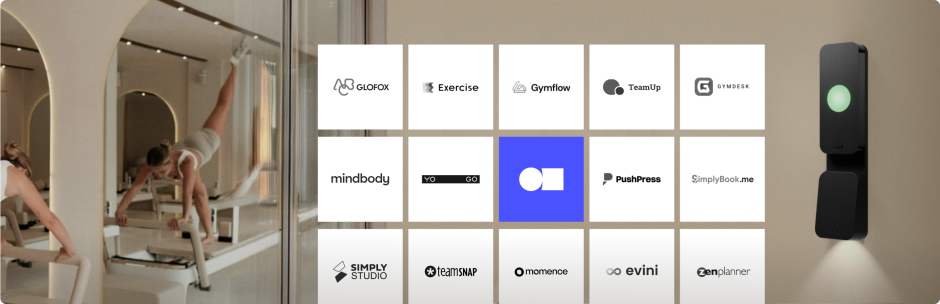
Most major platforms, including Mindbody, ABC Glofox, ABC Ignite, PushPress and Zen Planner, integrate with one or more access control providers. Kisi, for example, connects to more than 30 fitness and wellness platforms, so it's worth checking your provider's integration list before you choose either system.
How long does it take for access to update after a payment? #
Most integrations update access within seconds or a few minutes. Delays tend to happen during heavy billing periods like month-end, when the gym software sends a large volume of changes at once.
Can members unlock the door from my gym's own app? #
With some platforms, yes. Mindbody and ABC Glofox both offer door unlocks inside their branded member apps when connected to a supported access system, so members don't need to install a separate app.
Can I use access control without gym management software? #
You can, but you'd manage every member's access by hand, adding and removing people as they join, pause and leave. Most gyms connect the two because manual lists drift out of date, and lapsed members keep training until someone notices.
Connect your gym software to your doors with Kisi #
When your gym software decides who gets in and the door follows on its own, membership changes stop being a front desk task, and your attendance data starts reflecting what happens at the entrance. Kisi connects to the platforms most gyms already run, including Mindbody and ABC Glofox, so you can keep managing members where you already do. Explore how it works for gyms, or get in touch to talk through your setup.

Ana Coteneanu
Content writer @ Kisi | Ana focuses on long-form content that explores access control, space monetization, security, and modern workplace operations. With a background in technology-driven industries, she specializes in turning complex topics into practical insights for business audiences.
