


These days, employees expect their office environment to be a smart place for them to work. At the same time, you’d have a hard time finding anyone who actually wants to spend their time maintaining office systems.
Office automation software has solved this issue for many organizations, who use basic office automation systems including information storage, data exchange and data management. These categories extend not only to technical systems in an office, but also to people management, building access and other internal systems.
In this article, we’ll cover the best office automation tools, covering employee management, facility management, productivity, and HR, to help organizations streamline operations and reduce manual work.
What is office automation? #
Simply put, office automation is a tool or technology that makes a process more efficient and less labor-intensive. From data storage and management to security, office maintenance, payroll, and much more, automation technology can save time, money, and resources for a business trying to expand and compete on a larger scale.
Office automation should offer your employees both flexibility and reliability in supporting their daily tasks. For example, for most companies data entry and inventory logs are tedious things to maintain, but with automation software and data analysis tools, these tasks are vastly simplified. Automation software can also be applied to marketing and social media, project management, customer support, and more.

What is the purpose of office automation software? #
Automated processes and software should be used to create a flow that fits your own office, not force a different kind of workflow on your employees. They should also help you define your own access controls and to streamline approval processes, all from the cloud.
Defining this workflow can get difficult as software allows more businesses to become flexible with their office time. For example, some businesses may want a smartphone access control system to allow employees to come and go, while others might need digital video software for easy connections with remote workers.
At its core, it serves several key functions:
- Streamlining workflows: Tasks that previously required manual handoffs between people or departments can be automated end-to-end, reducing delays and errors.
- Centralizing information: Instead of data living across email chains, spreadsheets, and paper files, office automation tools create a single source of truth that everyone can access.
- Improving compliance and accountability: Automated audit trails, approval workflows, and access controls ensure that nothing falls through the cracks and that processes are followed consistently.
- Enabling remote and hybrid work: Cloud-based office automation tools allow employees to access what they need from anywhere, which has become essential for modern businesses operating across flexible work models.
Ultimately, office automation software exists to help businesses do more with the same resources, reduce administrative overhead, and improve employee experience.
Best office automation tools #
While there are many choices in business automation software, we've organized the highest-rated companies in several categories that most companies need.
Office automation tools for employee management #
Receipts and reimbursement: Expensify

Forcing your employees to collect countless receipts on business trips and meetings, turn in a stack of paper to the finance team upon their return, and wait for their reimbursements to clear is cumbersome and time-consuming. To avoid the pileup of paper, Expensify improves the way employees report expenses by allowing them to do it while they're away, directly from their phones.
Instead of keeping track of receipts for days or weeks on end, authorized users can simply log in and scan receipts to the app, easy as that. Expensify automates the way expenses are approved, while also streamlining a way for you to export information to your accounting package and apply these expenses to your budget.
Features:
- SmartScan Receipt Scanning (AI-powered)
- Automated Expense Reports
- Multi-Level Approval Workflows
- Corporate Card Reconciliation
- Fast Reimbursement
- GPS Mileage & Distance Tracking
- Travel Booking (flights, hotels, cars, rail)
- Virtual Cards
- Bill Pay & Invoicing
- 45+ Accounting Integrations (QuickBooks, NetSuite, Xero, Sage, Workday)
- iOS & Android Mobile App
Pricing:
- Free tier available
- For companies, plans start at $5 per member per month
Single sign-on: Okta

Okta is the leading identity and access management platform for enterprise organizations. It allows employees to securely access every application they need through a single set of credentials, while giving IT teams centralized control over who has access to what, and the ability to provision or revoke that access automatically as people join, move within, or leave the organization. Beyond single sign-on, Okta now covers the full identity lifecycle, including adaptive MFA, passwordless authentication, identity governance, and AI-powered threat detection.
Features:
- Single Sign-On (SSO)
- Adaptive Multi-Factor Authentication (MFA)
- Passwordless Authentication (Okta FastPass)
- Lifecycle Management (automated provisioning & deprovisioning)
- Universal Directory
- Identity Governance & Access Certification
- Device Access & Device Assurance
- No-Code Workflow Automation
- API Access Management
- 7,000+ Pre-Built App Integrations
Pricing:
- Starter: from $6 per user per month
- Essentials: from $17 per user per month
- Professional: custom pricing
- Enterprise: custom pricing
Office automation tools for facility management #
Access management: Kisi

As your business scales, you'll be hiring more employees and that means more people coming in and out of the office daily. On the other hand, when employees leave, you're going to want to revoke that access seamlessly.
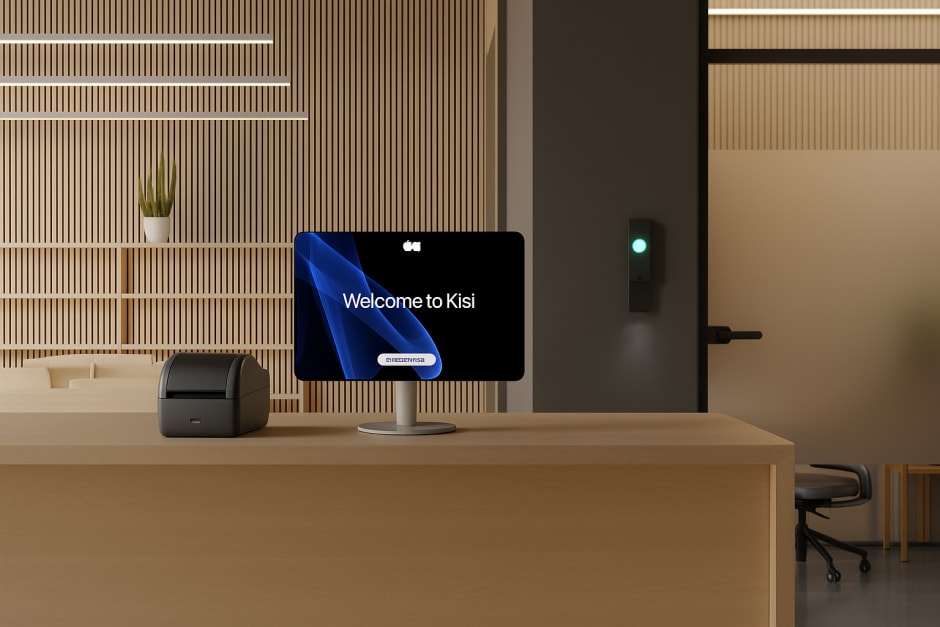
Kisi provides a smart access control system that allows businesses to remotely grant and revoke access to employees as needed. Not only does this remove the headache of constantly printing ID cards to allow people into the building, but Kisi gives you more flexibility by allowing you to implement restrictions on access and flexible work hours, schedule the doors to remain unlocked during business hours, and fully automate the access to every space within your workplace.
Users can unlock doors with the phone, smartwatch, or simply with the gesture of their hand (leaving their phone in their pocket), making it a better experience for both employees and visitors.
Features
- Cloud-Based Access Control & Remote Management
- Mobile, Smartwatch & Apple Wallet Credentials
- Visitor Management (QR codes, self check-in, access links)
- Video Surveillance Integration (Cisco Meraki, Eagle Eye, and more)
- Intrusion Detection & Tailgating Detection
- Occupancy Tracking & Time Tracking
- Event History, Audit Logs & Compliance Reporting
Pricing
- One Security Platform (OSP): from $99/month
- Enterprise: custom pricing
Visitor management: Envoy
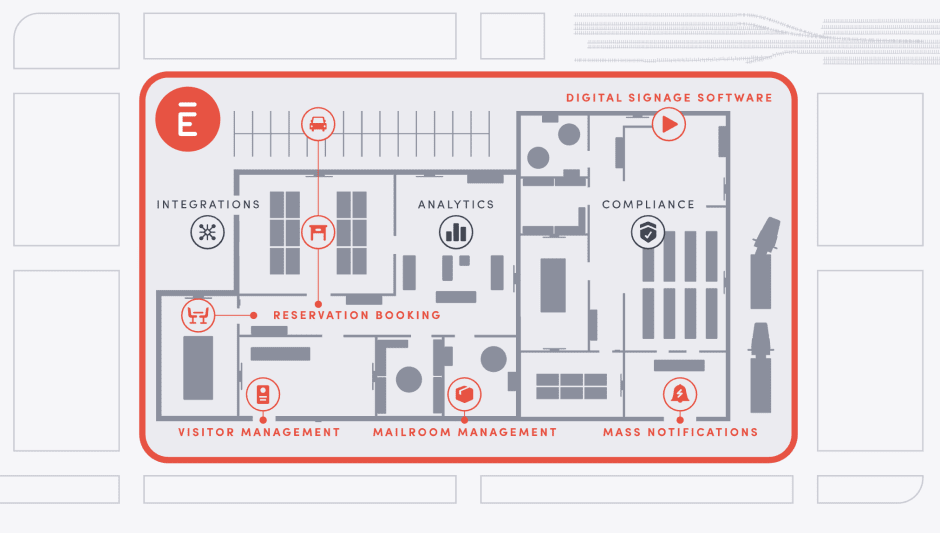
Envoy is a visitor management platform that helps businesses manage everyone and everything that comes through the front door, from pre-registering guests and collecting NDAs to tracking deliveries and handling emergency notifications. Office managers and security teams use Envoy to know exactly who is on-site at any given time, maintain compliance with regulations like ITAR and C-TPAT, and create a smooth, professional experience for every visitor. It integrates with access control systems, identity providers, and workplace tools to give organizations end-to-end visibility across single or multiple locations.
Features
- Digital Visitor Check-In (iPad kiosk & mobile)
- Visitor Pre-Registration & Custom Invites
- Host Notifications (email, SMS, Slack)
- NDA & Document Signing
- Visitor Photo Capture & Badge Printing
- Blocklist & ID Scanning (via Veriff)
- Real-Time Visitor Dashboard & Logs
- Delivery Management
- Emergency Notifications & Evacuation Lists
- Multi-Location Management
- SSO & Access Control Integrations (Okta, Brivo, Lenel S2)
Pricing:
- Visitors: Free (Basic) or $4,344 per location/year (Premium), billed annually
- Additional products (Emergency Notifications, Reservations, Screens, Deliveries) priced separately per user, resource, or device/year
- Enterprise: Custom pricing
Room scheduling: Robin

Have you ever wanted to have a meeting in the conference room after balancing your coffee, laptop and notebook in hand just to realize that a co-worker is posted up there? Robin solves this problem, and other scheduling issues. It helps you book meeting rooms and hot desk reservations, provides real-time analytics and offers tablets that display the conference room's schedule for the foreseeable future.
Features:
- Room & Desk Booking
- AI-Powered Scheduling Agent
- Interactive Office Floor Maps
- Hot Desk & Neighborhood Management
- Abandoned Meeting Protection (auto-cancel ghost bookings)
- Room Display Integration (Logitech, Crestron)
- Calendar Sync (Google Workspace, Microsoft 365, Outlook)
- Slack, Teams & Microsoft 365 Integration
- Visitor Management & Guest Pre-Registration
- Space Utilization Analytics & Custom Reporting
- SSO, SAML & SCIM Support
- Mobile App (iOS & Android)
Pricing:
- Contact sales team
Security cameras: Cisco Meraki

Cisco Meraki is a cloud-managed camera system that uses the power of AI to improve the security of any office. Meraki cameras are consistently among the highest rated in the industry for their quality hardware and powerful security management dashboard. Rather than relying on facial recognition, Meraki's current approach uses AI-powered object detection, motion analytics, and people counting, delivering strong security insights while respecting privacy.
Features:
- Cloud-Managed Dashboard
- AI-Powered Object Detection
- Motion Analytics & Motion Search
- People & Vehicle Counting
- Edge Storage (no NVR required)
- Encrypted Video Storage
- Scalable from 1 to 10,000+ cameras
- Access Control Integration
Pricing:
- Contact sales team
Office automation tools for productivity #
Notes and workflows: Notion

Notion is an all-in-one workspace that combines documents, wikis, databases, and project management in a single platform. Teams use it to build internal knowledge bases, manage projects, write documentation, and collaborate in real time. It replaces the need for multiple separate tools. Notion has also expanded into AI, offering built-in content generation, autofill, meeting notes, and an AI agent that can complete tasks autonomously across connected apps.
Features:
- Docs, Wikis & Knowledge Base
- Project & Task Management (boards, timelines, calendars)
- Databases with Custom Properties & Views
- Real-Time Collaboration & Co-Editing
- Notion AI (content generation, autofill, summarization)
- AI Meeting Notes
- Notion Calendar & Notion Mail Integration
- 1,000+ Templates
- API & Zapier Integrations
- iOS, Android & Desktop Apps
Pricing:
- Free
- Plus: $9.50 per member per month
- Business: $19.50 per member per month
- Enterprise: contact sales
Workflow automation: Zapier

Zapier is the leading no-code workflow automation platform, connecting over 8,000 apps so that when something happens in one tool, it automatically triggers an action in another, without writing a single line of code. Offices use Zapier to eliminate repetitive manual tasks across every department: routing form submissions, syncing data between tools, sending notifications, updating spreadsheets, and much more. In 2026, Zapier has expanded into AI orchestration, adding AI agents, chatbots, and an MCP layer that lets AI tools interact with your entire app stack.
Features:
- Automated Multi-Step Workflows (Zaps)
- 8,000+ App Integrations
- No-Code Automation Builder with AI Copilot
- Conditional Logic, Filters & Paths
- Zapier Tables (built-in database)
- Zapier Forms (connected forms)
- AI Agents & Chatbots
- Webhooks & API Support
- Shared Workspaces & Team Collaboration
- SOC 2 Type II Compliant
Pricing:
- Free
- Professional: from $19.99/month (billed annually)
- Team: from $69/month (billed annually)
- Enterprise: custom pricing
- Pricing scales with number of tasks per month
Task management: monday.com

monday.com is a work management platform that helps teams plan, track, and execute projects in one visual, highly customizable workspace. Built around flexible boards with customizable columns, views, and automations, it works across departments, from marketing and operations to HR and IT. Teams use monday.com to manage everything from simple task lists to complex multi-team projects, with no-code automation reducing manual work across workflows.
Features:
- Visual Boards with Customizable Columns & Views (Kanban, Gantt, Calendar, Timeline)
- No-Code Workflow Automation
- AI Assistant (monday AI / Sidekick)
- Time Tracking
- Dashboards & Reporting
- Guest Access & Collaboration
- 200+ App Integrations (Slack, Google Drive, Zoom, Salesforce, Jira)
- Private Boards & Advanced Permissions
- iOS & Android Mobile App
Pricing:
- Free
- Basic: $9 per seat/month
- Standard: $12 per seat/month
- Pro: $19 per seat/month
- Enterprise: custom pricing
Office automation tools for HR management #
Contracts: DocuSign
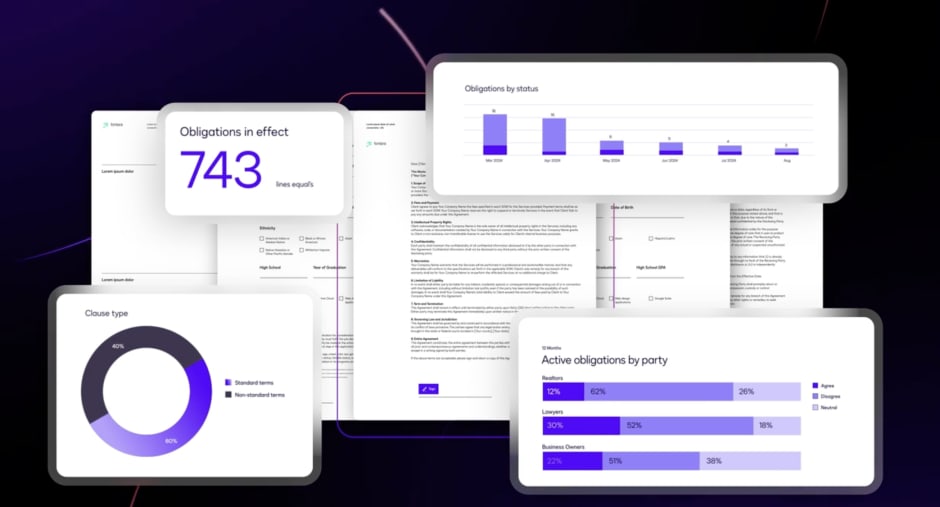
The company that pioneered the development of e-signature technology, DocuSign makes e-contract signing a breeze. With more than 400,000 paying customers and hundreds of millions of users worldwide, hiring managers can simplify admin processes by using this software.
Features:
- Electronic Signatures
- Document Templates
- Multi-Party Signing Workflows
- Bulk Send
- Custom Branding
- Audit Trail & Certificate of Completion
- Integrations (Salesforce, Google Drive, Microsoft 365, and more)
- Mobile Signing (iOS & Android)
- Contract Lifecycle Management (CLM)
Pricing:
- Personal: $10 per user per month (billed annually)
- Standard: $25 per user per month (billed annually)
- Business Pro: $60 per user per month (billed annually)
- Enhanced Plans: contact sales
Hiring: Workable

Workable is an online recruiting software that allows hiring managers to create interview processes that are more efficient. With calendar integrations, automated assessment tests and help making high-quality job ads, Workable can lead to faster and better quality hires within a company.
Features:
- Job Posting to 200+ Boards
- AI-Powered Candidate Sourcing
- Applicant Tracking System (ATS)
- Branded Careers Page
- Interview Scheduling & Scorecards
- Automated Assessment Tests
- Offer Letters with E-Signatures
- Onboarding & HR Management
- 270+ Third-Party Integrations
- iOS & Android Mobile App
Pricing:
- Standard: $299 per month
- Premier: $599 per month
- Enterprise: $719 per month
- Free trial available
Rostering: BambooHR

BambooHR is an all-in-one HR platform built for small and medium-sized businesses. It centralizes the entire employee lifecycle in one place (from hiring and onboarding through time tracking, performance management, and offboarding) eliminating the need for multiple disconnected HR tools. With an intuitive interface and strong employee self-service capabilities, BambooHR is consistently rated among the easiest HR platforms to adopt, making it a go-to for HR teams of any size.
Features:
- Employee Records & HR Database
- Onboarding & Offboarding Workflows
- Time Off & Absence Management
- Time Tracking & Attendance
- Applicant Tracking System (ATS)
- Performance Management & Reviews
- Benefits Administration
- Payroll (US only, add-on)
- AI-Powered Assistant (Ask BambooHR)
- 150+ Integrations
- Employee Self-Service Portal
- iOS & Android Mobile App
Pricing:
- Core: from ~$10 per employee/month
- Pro: from ~$17 per employee/month
- Elite: from ~$25 per employee/month
- 7-day free trial available
Automate your office with Kisi #
While you might not be able to automate every aspect of your office, automating some of your most time-consuming tasks with office automation software will help to streamline your workplace, allowing for more innovation and growth on the part of your employees.
One of the most impactful places to start is physical access. Managing who can enter your office, when, and which spaces they can access is a fundamental part of running any business, and it's also one of the most time-consuming when done manually.
Kisi's cloud-based access control system integrates seamlessly with the HR, IT, and productivity tools your team already uses, including Okta, Envoy, and many others on this list. When an employee joins or leaves, access is provisioned or revoked automatically. If you’re interested in learning how Kisi can help automate your office then you can request a demo.
Want to go deeper on workplace operations? Download the Office Operations guide, provided by Unlocked, the magazine for the smart office.

Bernhard Mehl
Bernhard is Co-founder of Kisi. His philosophy, "security is awesome," is contagious among tech-enabled companies.

